Networker's apps
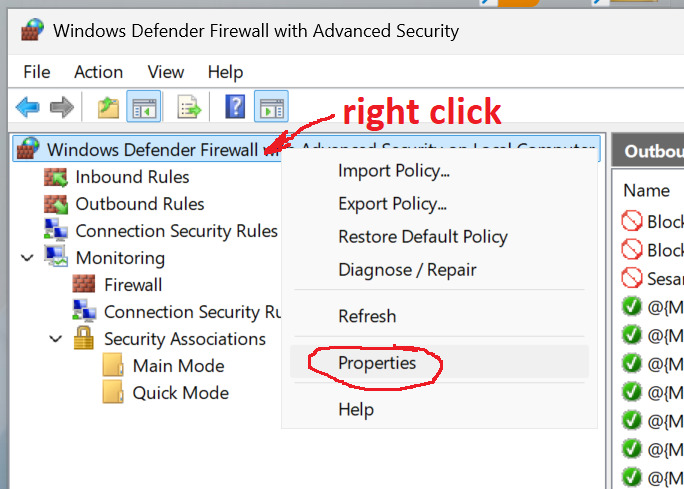
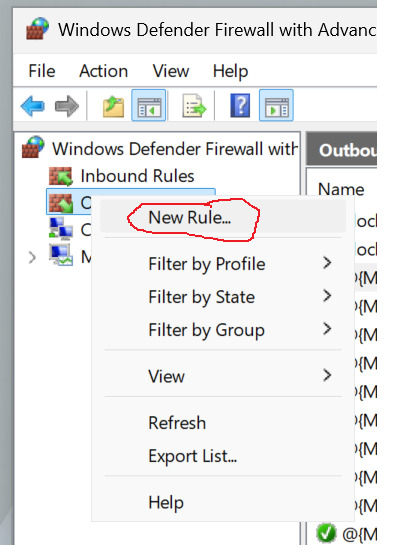
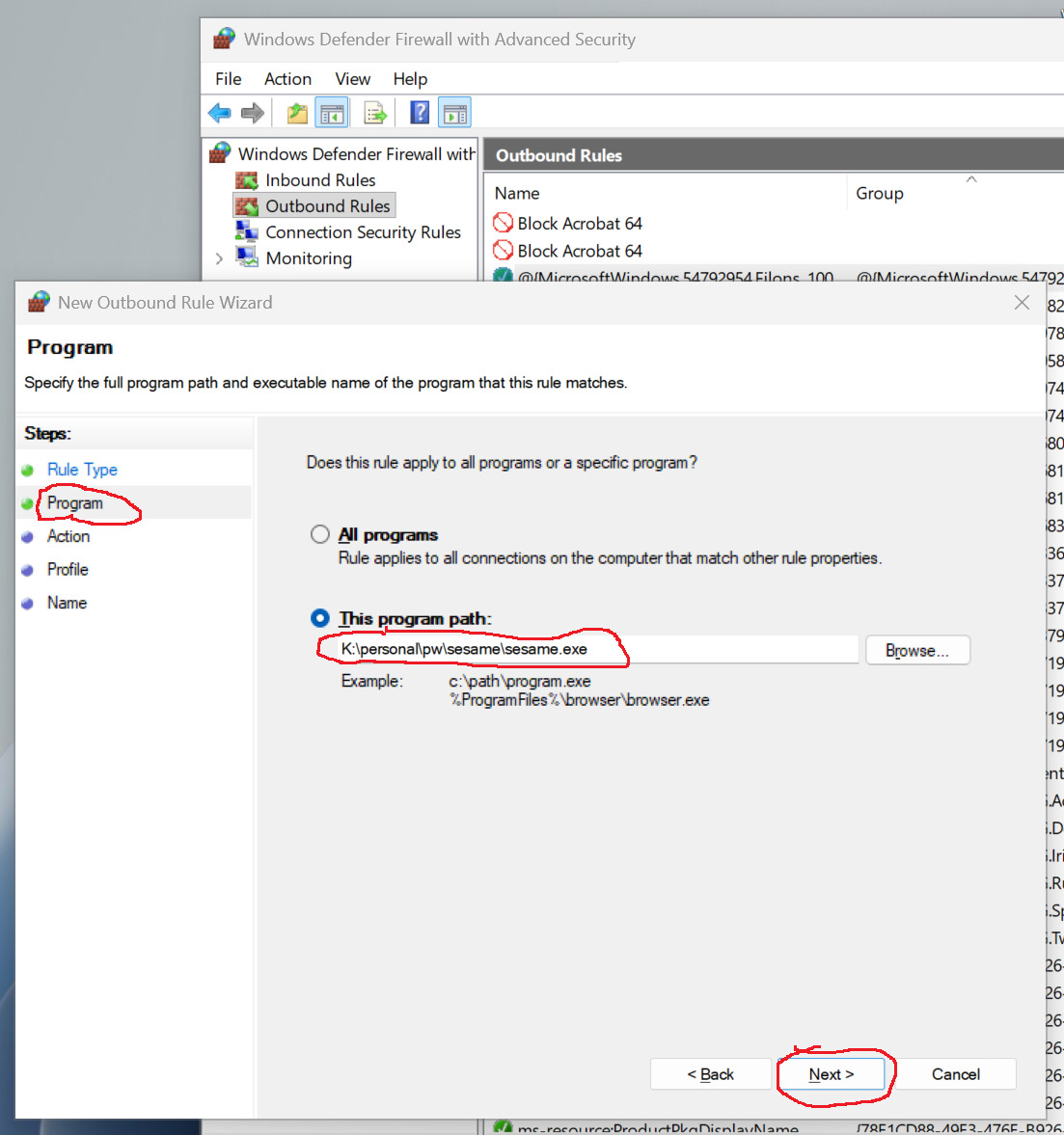
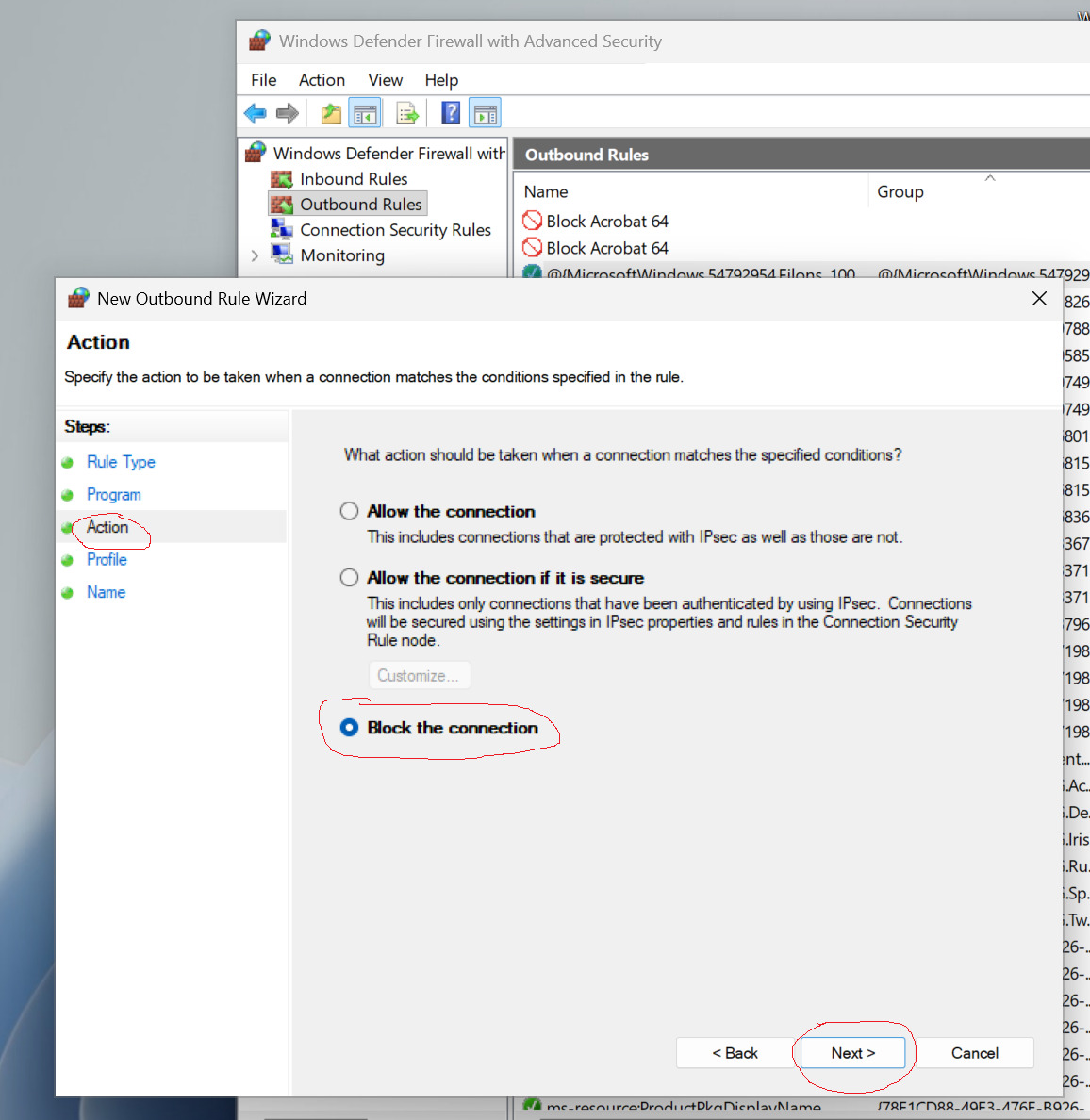
How to sandbox an application and enable Windows firewall logging.
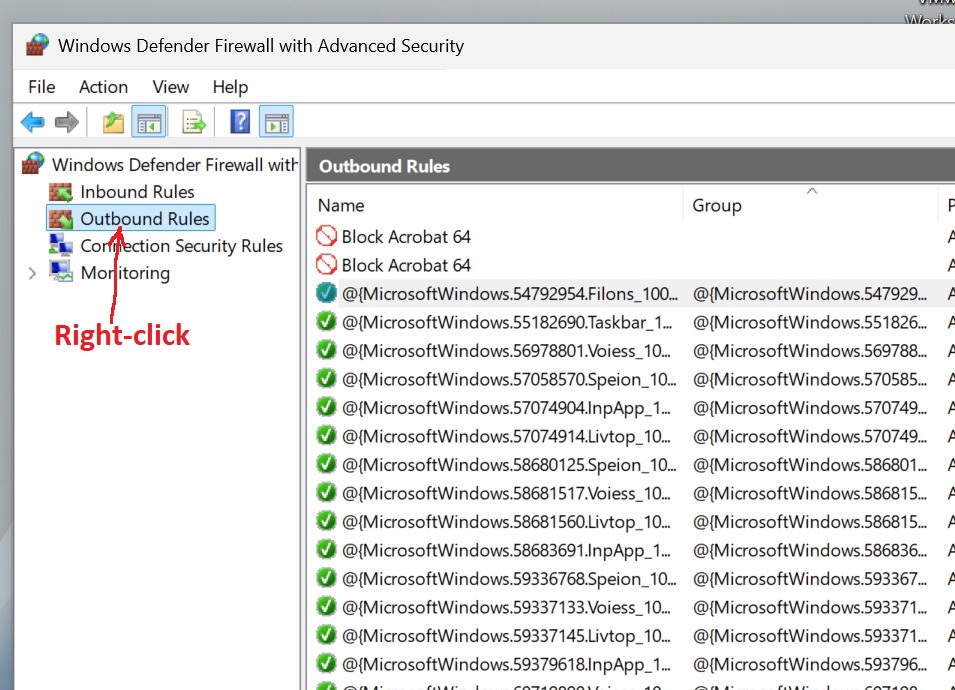
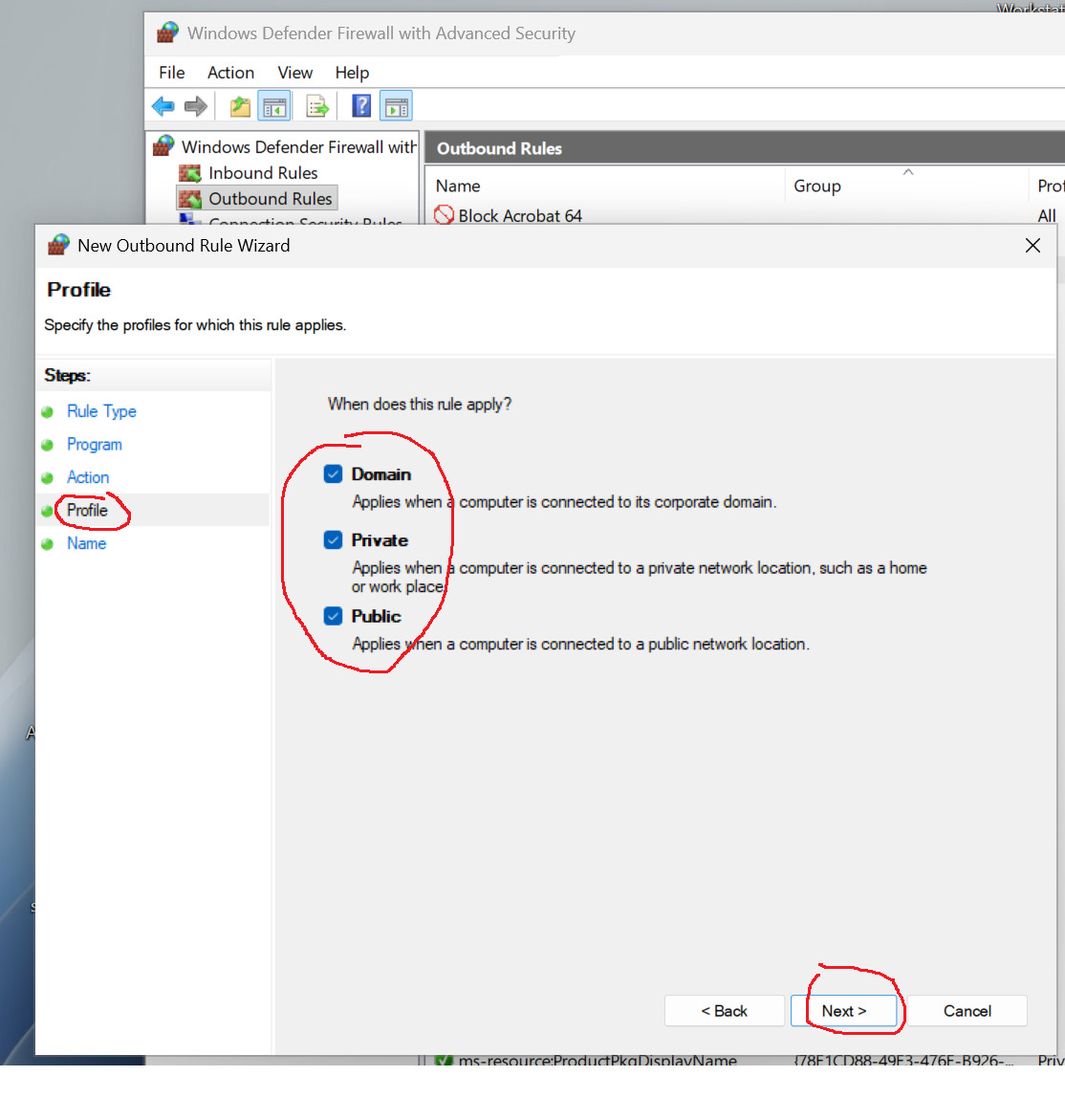
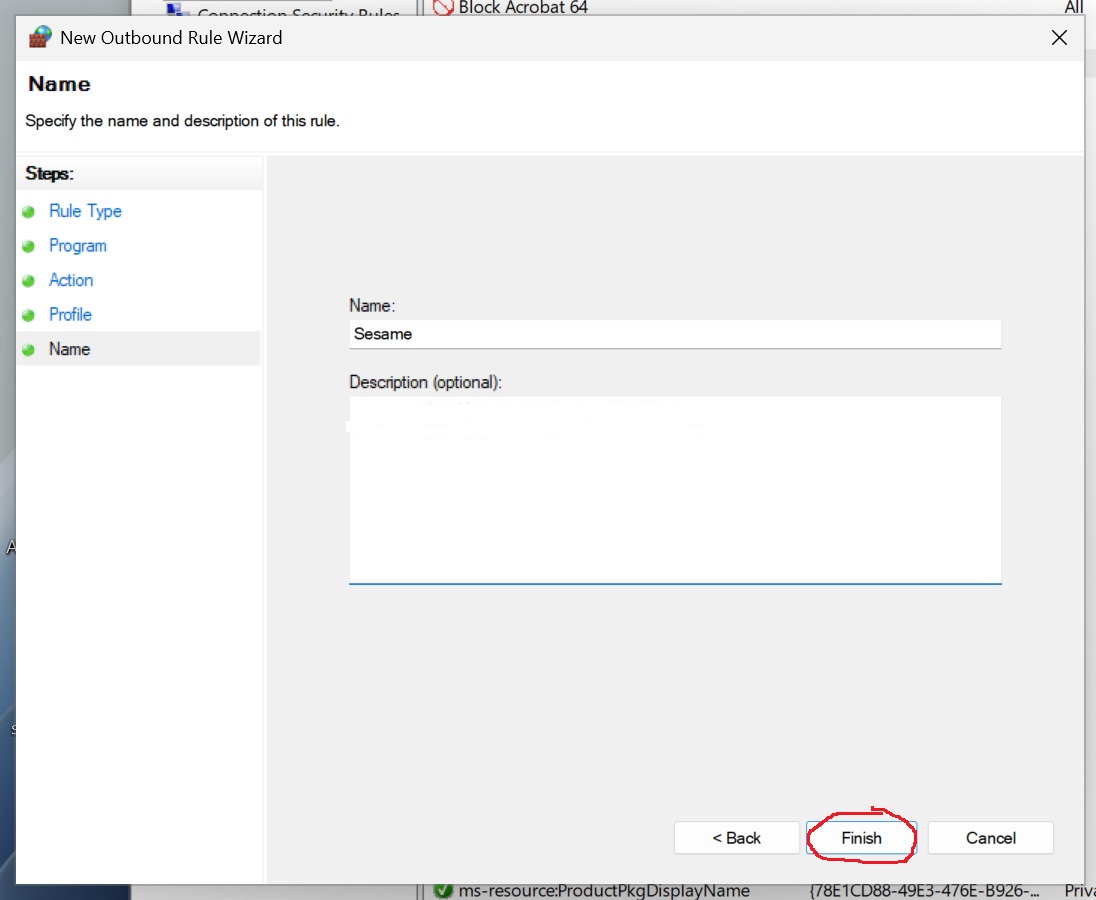
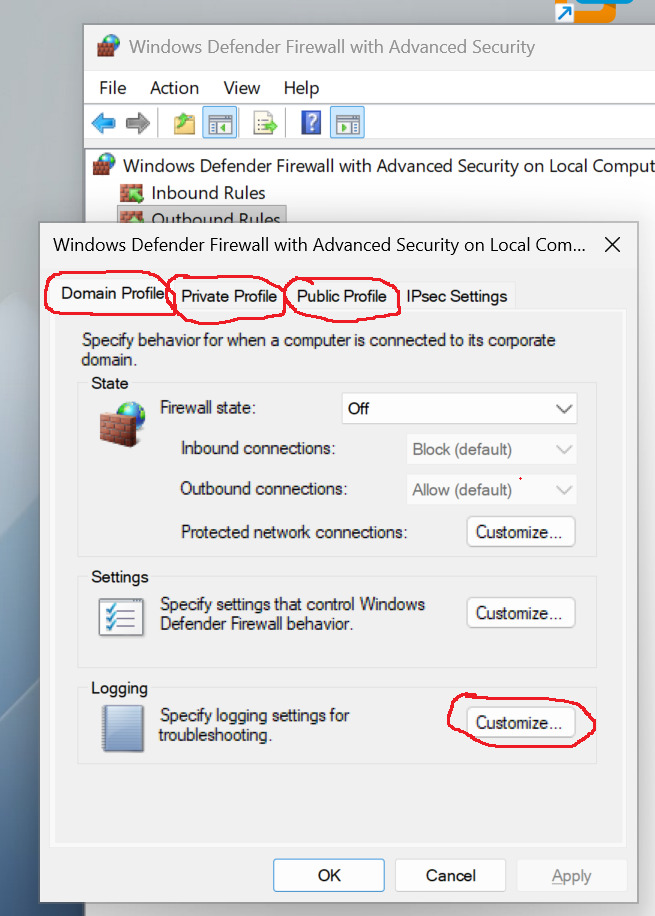
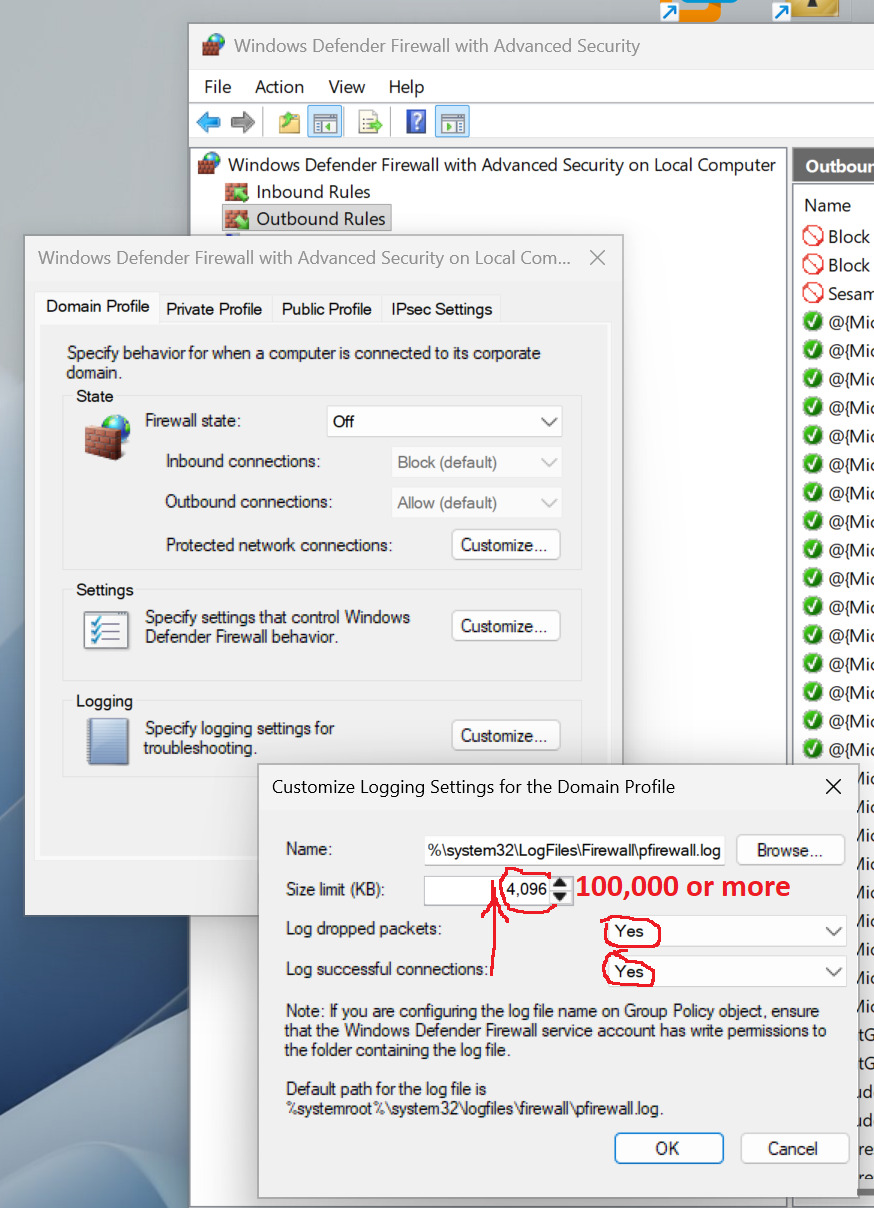
Microsoft doesn't offer selective logging per rule, so you need to enable it for the whole firewall - all 3 profiles the rule is active for - Domain, Private, Public. Make log files big enough not to run out of storage - 100mb per profile is probably enough. Periodically check their size and content - search for the rule name. These are flat text files, so a Notepad or Notepad++ will do. Once you're satisfied - disable logging, delete log files.